
参考地址:
acme.sh 仓库地址:acme.sh
acme.sh 仓库地址:官方中文说明
各个服务商dnsapi说明:dnsapi
一、安装配置acme.sh
curl https://get.acme.sh | sh -s email=my@example.com后面的邮箱换成自己的邮箱
如果上面官方下载地址失败 或者 太慢,可以选用国内的备用地址
curl https://gitcode.net/cert/cn-acme.sh/-/raw/master/install.sh?inline=false | sh -s email=my@example.com如果以上运行后还是提示各种奇怪的错误,请参考官方说明通过国内方式安装
git clone --depth 1 https://github.com/acmesh-official/acme.sh.git
cd acme.sh
./acme.sh --install -m my@example.com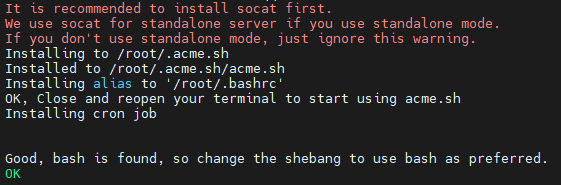
二、创建证书
参考官方说明
1、手动创建
(1) http方式
http 方式需要在你的网站根目录下放置一个文件, 来验证你的域名所有权,完成验证. 然后就可以生成证书了.
acme.sh --issue -d mydomain.com -d www.mydomain.com --webroot /home/wwwroot/mydomain.com/只需要指定域名, 并指定域名所在的网站根目录. acme.sh 会全自动的生成验证文件, 并放到网站的根目录, 然后自动完成验证. 最后会聪明的删除验证文件. 整个过程没有任何副作用.
如果你用的 apache服务器, acme.sh 还可以智能的从 apache的配置中自动完成验证, 你不需要指定网站根目录:
acme.sh --issue -d mydomain.com --apache如果你用的 nginx服务器, 或者反代, acme.sh 还可以智能的从 nginx的配置中自动完成验证, 你不需要指定网站根目录:
acme.sh --issue -d mydomain.com --nginx注意, 无论是 apache 还是 nginx 模式, acme.sh在完成验证之后, 会恢复到之前的状态, 都不会私自更改你本身的配置. 好处是你不用担心配置被搞坏, 也有一个缺点, 你需要自己配置 ssl 的配置, 否则只能成功生成证书, 你的网站还是无法访问https. 但是为了安全, 你还是自己手动改配置吧.
如果你还没有运行任何 web 服务, 80 端口是空闲的, 那么 acme.sh 还能假装自己是一个webserver, 临时听在80 端口, 完成验证:
acme.sh --issue -d mydomain.com --standalone更高级的用法请参考: https://github.com/Neilpang/acme.sh/wiki/How-to-issue-a-cert
(2)手动dns方式
手动在域名上添加一条 txt 解析记录, 验证域名所有权.
这种方式的好处是, 你不需要任何服务器, 不需要任何公网 ip, 只需要 dns 的解析记录即可完成验证. 坏处是,如果不同时配置 Automatic DNS API,使用这种方式 acme.sh 将无法自动更新证书,每次都需要手动再次重新解析验证域名所有权。
acme.sh --issue --dns -d mydomain.com \
 --yes-I-know-dns-manual-mode-enough-go-ahead-please
然后, acme.sh 会生成相应的解析记录显示出来, 你只需要在你的域名管理面板中添加这条 txt 记录即可.
等待解析完成之后, 重新生成证书:
acme.sh --renew -d mydomain.com \
  --yes-I-know-dns-manual-mode-enough-go-ahead-please
注意第二次这里用的是 --renew
2、自动解析
使用域名解析商提供的 api 自动添加 txt 记录完成验证.
acme.sh 目前支持 cloudflare, dnspod, cloudxns, godaddy 以及 ovh 等数十种解析商的自动集成.
以 dnspod 为例, 你需要先登录到 dnspod 账号, 生成你的 api id 和 api key, 都是免费的. 然后:
export DP_Id="1234"
export DP_Key="sADDsdasdgdsf"
acme.sh --issue --dns dns_dp -d aa.com -d www.aa.com
证书就会自动生成了. 这里给出的 api id 和 api key 会被自动记录下来, 将来你在使用 dnspod api 的时候, 就不需要再次指定了. 直接生成就好了:
acme.sh --issue -d mydomain2.com --dns dns_dp更详细的 api 用法: https://github.com/Neilpang/acme.sh/blob/master/dnsapi/README.md
三、安装证书
前面证书生成以后, 接下来需要把证书 copy 到真正需要用它的地方.
注意, 默认生成的证书都放在安装目录下: ~/.acme.sh/, 请不要直接使用此目录下的文件, 例如: 不要直接让 nginx/apache 的配置文件使用这下面的文件. 这里面的文件都是内部使用, 而且目录结构可能会变化.
正确的使用方法是使用 --install-cert 命令,并指定目标位置, 然后证书文件会被copy到相应的位置, 例如:
Apache example:
acme.sh --install-cert -d example.com \
--cert-file      /path/to/certfile/in/apache/cert.pem  \
--key-file       /path/to/keyfile/in/apache/key.pem  \
--fullchain-file /path/to/fullchain/certfile/apache/fullchain.pem \
--reloadcmd     "service apache2 force-reload"
Nginx example:
acme.sh --install-cert -d example.com \
--key-file       /path/to/keyfile/in/nginx/key.pem  \
--fullchain-file /path/to/fullchain/nginx/cert.pem \
--reloadcmd     "service nginx force-reload"
一个小提醒, 这里用的是 service nginx force-reload, 不是 service nginx reload, 据测试, reload 并不会重新加载证书, 所以用的 force-reload)
Nginx 的配置 ssl_certificate 使用 /etc/nginx/ssl/fullchain.cer ,而非 /etc/nginx/ssl/<domain>.cer ,否则 SSL Labs 的测试会报 Chain issues Incomplete 错误。
--install-cert命令可以携带很多参数, 来指定目标文件. 并且可以指定 reloadcmd, 当证书更新以后, reloadcmd会被自动调用,让服务器生效.
详细参数请参考: https://github.com/Neilpang/acme.sh#3-install-the-issued-cert-to-apachenginx-etc
值得注意的是, 这里指定的所有参数都会被自动记录下来, 并在将来证书自动更新以后, 被再次自动调用.
四、删除证书
./acme.sh --remove -d mydomain.com五、代码总结
安装
git clone --depth 1 https://github.com/acmesh-official/acme.sh.git
cd acme.sh
./acme.sh --install -m my@example.com


配置alidns账户
export Ali_Key="key"
export Ali_Secret="Secret"


创建证书
./acme.sh --issue --dns dns_ali -d example.com

替换证书
./acme.sh --install-cert -d example.com \
--key-file       /etc/nginx/cert/example.key  \
--fullchain-file /etc/nginx/cert/example.pem \
--reloadcmd     "service nginx force-reload"

系统会自动配置续期

其他:
删除已存在的证书
./acme.sh --remove --domain example.com


更换证书提供商
acme.sh --set-default-ca --server letsencrypt/zerossl


查看证书列表
./acme.sh --list

强制更新证书
./acme.sh --renew --domain example.com